
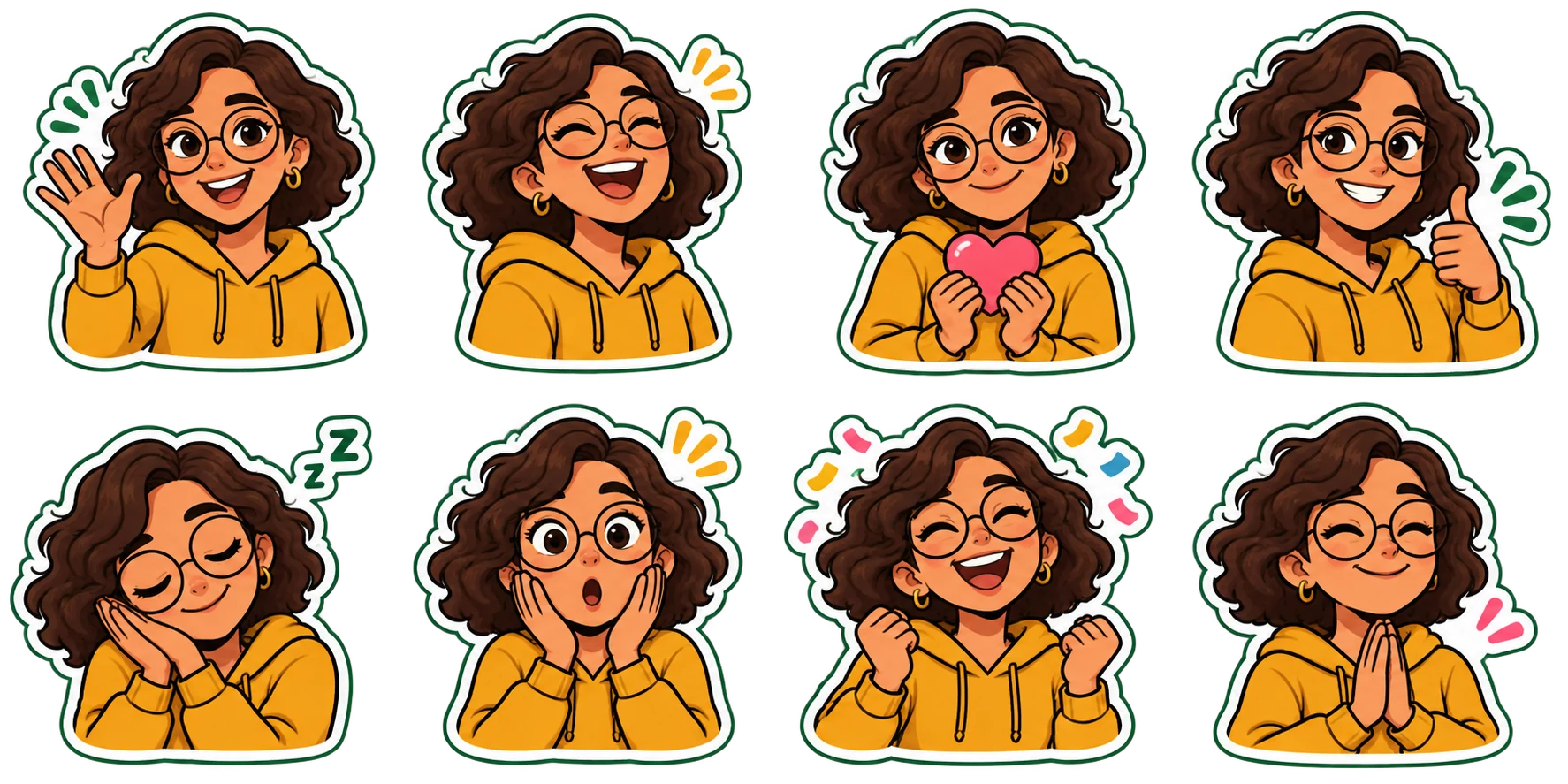
Choose the expressions you use most, approve one character preview, then spend credits on the rest of the pack.
Choose a photo with one clear subject
A useful sticker begins with something recognizable: your smile, your dog's uneven ears, a familiar pair of glasses. Choose a sharp photo of one person, pet or original character. Keep the face and distinguishing details visible. Bright, even light usually gives a clearer reference than a dark image with a strong filter.
For a portrait, avoid sunglasses covering the eyes, a hand across the face or a group photo where the main person is unclear. For a pet, include the muzzle, both ears and important fur markings. A collar or scarf can help connect the expressions across the pack. You do not need a perfect studio background, but another subject overlapping the face makes the reference harder to interpret.
In Sticker Maker, you can select JPG, PNG or WebP files up to 10 MB. The photo is resized in your browser. Selecting it does not send it to the AI provider; that happens when you request generation. Use an image you have permission to process.
Plan the replies you actually send
Think about your last few conversations. Which replies repeat? A useful everyday pack might contain hello, thanks, yes, no, laughing, sorry, good night and a celebration. A work pack might need acknowledgment, thinking, busy, done and encouragement. Those sets serve different conversations even if they use the same character.
Choose 8 expressions for a focused pack or 16 when you want more range. Avoid filling every slot with a slightly different smile. Include positive, negative and practical responses so your pack can carry a conversation. LINE's creation guidelines similarly favor clear expressions that work in daily communication.
The expression picker lets you start with a suggested set and then adjust it. The order matters: your first chosen expression becomes the character preview. Put a clear, familiar reaction first so you can judge the likeness without an extreme pose getting in the way.
Choose a style for the way you chat
Cartoon and chibi emphasize the face and silhouette. They are useful starting points when an expression must read quickly on a small screen. Clay and plush add texture; check that texture does not obscure the eyes or a small gesture. Pixel art deliberately simplifies features. Comic can make a dramatic reaction feel more energetic.
A style is a visual direction, while an expression is the message. “Plush” determines how the character looks. “Laughing with tears” determines what the character communicates. Choose both before generating, and keep the style consistent throughout one pack.
The website's gallery contains original illustrative examples. They help you compare directions, but they are not a promise that every photo or AI model will reproduce the same details.
Treat the first sticker as a decision
Your first generated sticker uses 5 credits and counts toward the finished pack. Before approving it, compare the result with your reference:
- Can you recognize the face, hairstyle or pet markings without looking back at the photo?
- Are glasses, ears, paws or hands shaped plausibly?
- Does the selected expression communicate the intended mood?
- Is the entire character visible, with space around the outline?
- Do the edges look clean on both a light and a dark background?
If the character is wrong, fix the direction before making the other expressions. A remake is another 5-credit generation. Once you approve the character, the remaining images use that design as their reference. This supports a consistent pack, though individual outputs still need your review.
Eight stickers use 40 credits in total; sixteen use 80. The preview is included in that count. You can pause between generations. A technical failure returns the credits for that attempt; a completed image remains charged even if you prefer a different creative result.
Keep captions short and editable
Add text after the artwork. One word or a short phrase usually reads more clearly than a sentence. “On my way” can work; a detailed explanation belongs in the message beside the sticker. Check punctuation and letter spacing before exporting.
Caption edits and downloads use no credits. You can change the wording without asking the AI to redraw the character. This is especially useful when the same reaction needs different wording for friends and coworkers.
Choose the destination when downloading. WhatsApp, Telegram, Discord and LINE use different image dimensions and pack rules. Our format comparison explains what each export contains. The website prepares files; some platforms still require a separate import or submission step.
Make the final check at chat size
Look at the finished pack as a set, then inspect the smallest version you will actually send. Eyes, mouth and gesture should carry the expression before the caption does. A subtle detail that looks beautiful at full size may disappear in a chat bubble.
Send a test to yourself using your chosen platform. Check the edges, the caption and whether two reactions are too similar. Keep a copy of the transparent PNG originals so you can make new exports later without paying for another generation.
Ready to try the workflow first? Open the free sample pack, add a caption and download it. The sample is already illustrated, so exploring it does not use generation credits.
Sources & further reading
Platform requirements were checked on Nov 17, 2026. This article covers static stickers; check the original documentation for later changes.
Make a pack that sounds like you.
Choose your photo, visual style and 8 or 16 reactions. Review one 5-credit preview before continuing.
Build my sticker pack